Getting Started with 🩺 Checkup GPT
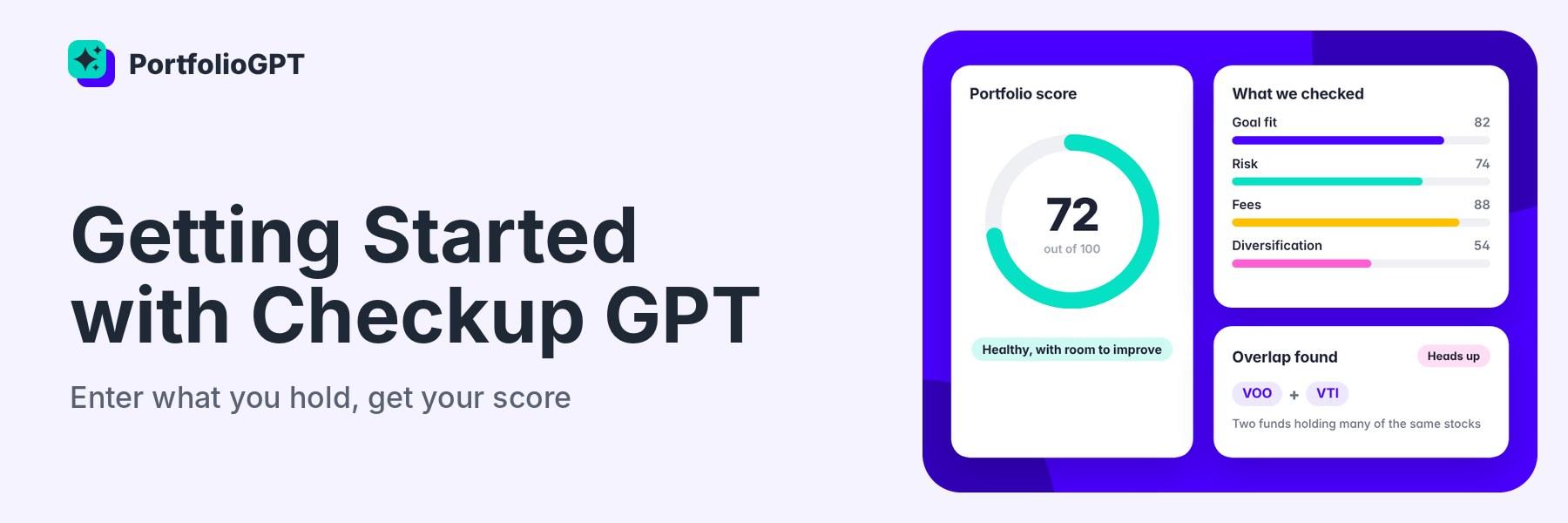
Checkup GPT is an AI portfolio analyzer: answer 3 questions, enter what you hold and get a score, fees, overlap and a backtest in about 20 seconds.
Posted by
 Rawee Kambhiranond
Related reading
Getting Started with 💵 Income GPT
Learn how to build an income portfolio with Income GPT: pick an income goal, amount, risk, account and sources, then see live yields and monthly income.
Learn how to invest in AI stocks with AI GPT: pick a goal, amount, horizon and risk, choose stocks or ETFs and up to 3 AI themes, then get your portfolio.
Getting Started with 🏭 Sector GPT
Sector GPT is an AI sector portfolio builder: pick a goal and up to 3 market sectors to get a personalized stock or sector ETF portfolio in seconds.
Educational content, not financial advice. Checkup GPT shows ideas to consider; you decide what to do with your money.
Introducing Checkup GPT by ✨ Unprompted Labs
Checkup GPT is an AI portfolio analyzer for investors who already own stocks, ETFs or mutual funds and want to know if the mix still fits. Instead of building a new portfolio, it reviews yours against your goal, time horizon and risk level. It's the checkup tool inside PortfolioGPT.
Checkup GPT looks up live prices from Tickerbot and Yahoo! Finance, checks fund costs from each fund's expense ratio, the annual fee a fund charges as a percentage of your money (Investor.gov), and explains the results in plain English. For everything it checks, read Introducing Checkup GPT.
Let's get started! Watch the walkthrough:
How to analyze your portfolio with Checkup GPT
Analyzing your portfolio with Checkup GPT takes three short questions and your list of holdings: your goal, time horizon and risk level, then each holding's ticker and dollar amount. After a quick review of your answers, Checkup GPT runs its checks and returns your score and review, usually in 15 to 30 seconds. Have your brokerage account open so you can copy your positions.
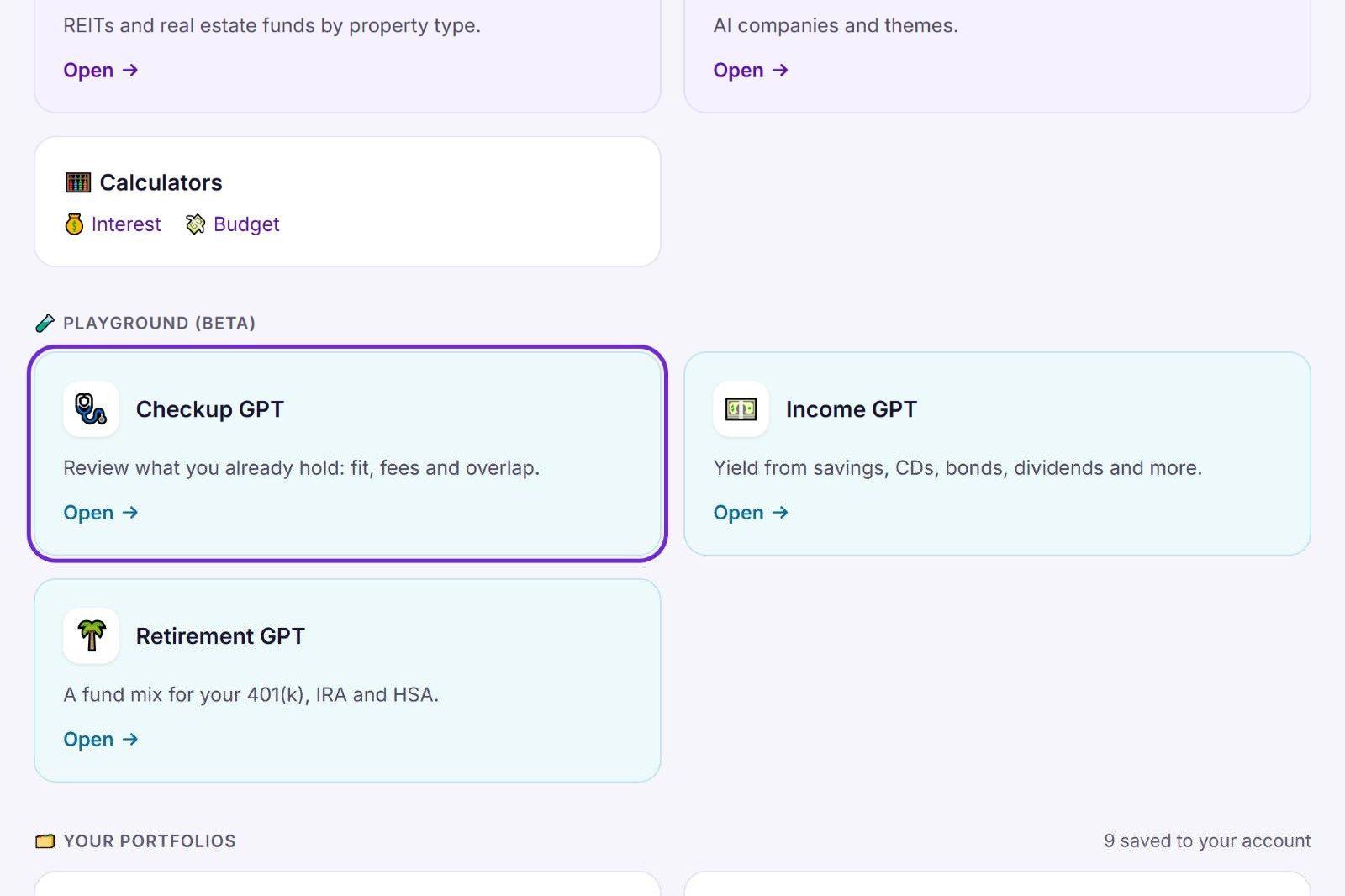
Open Checkup GPT from your dashboard: it's in the Playground (Beta) section, next to Income GPT and Retirement GPT.
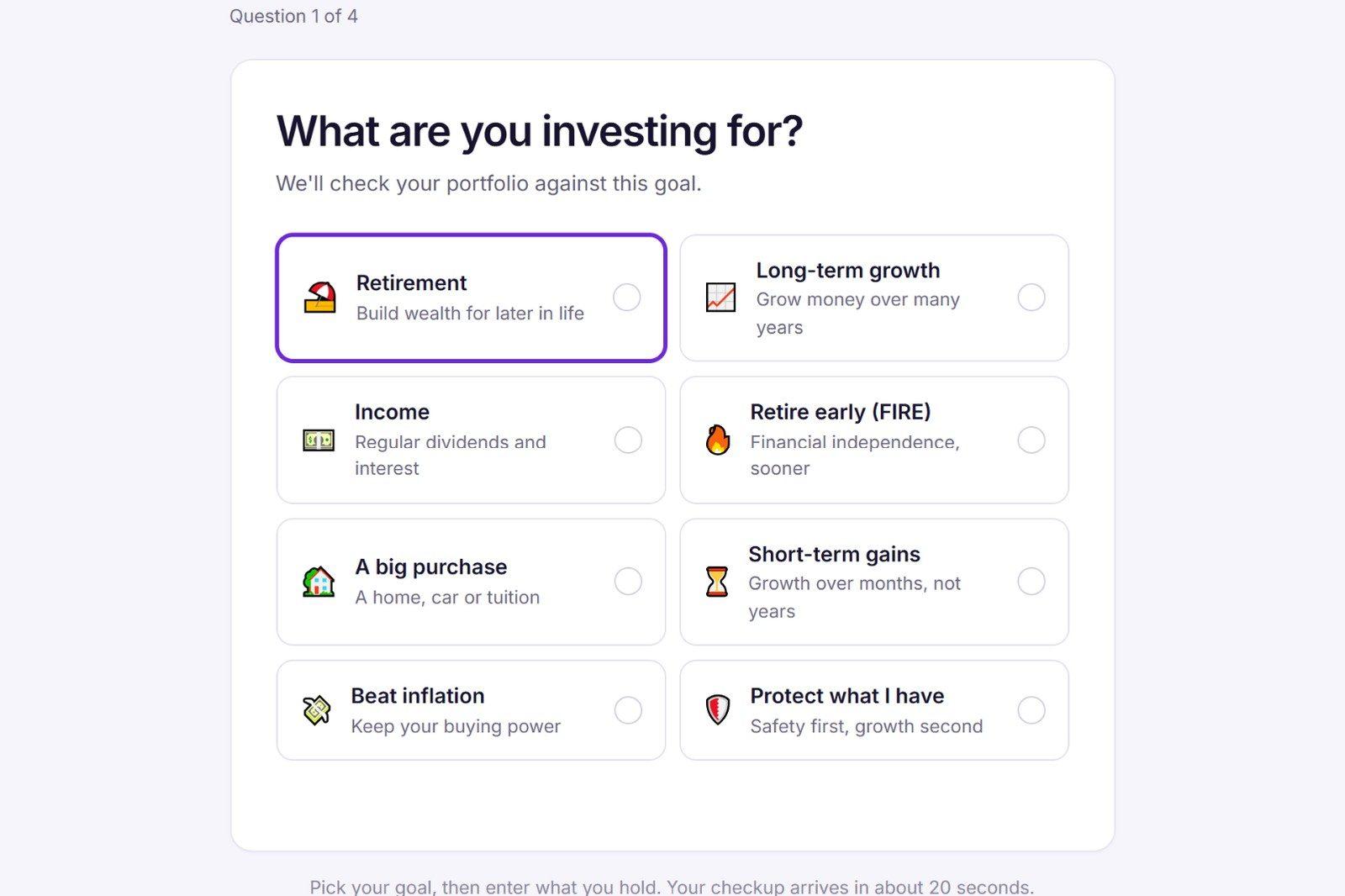
Step 1: 🏆 Pick Your Investment Goal
Choose what this money is for: retirement, long-term growth, income, retire early (FIRE), a big purchase, short-term gains, beat inflation or protect what I have. Checkup GPT checks your portfolio against this goal, including which asset classes it suggests for it.
Step 2: ⏳ Set Your Time Horizon
Choose when you'll need the money: less than 1 year, 1-3, 3-5, 5-10, 10+ or 20+ years. Longer horizons can ride out more ups and downs, so they allow more growth assets. Our time horizon guide explains why.
Step 3: ⚠️ Select Your Risk Tolerance
Choose low, medium or high. The app asks you to think about how you'd feel if your portfolio dropped 20% in a year. Your risk level sets the target mix and the position limits the checkup uses, such as how much of your portfolio one stock should be.
Step 4: 💼 Enter What You Hold
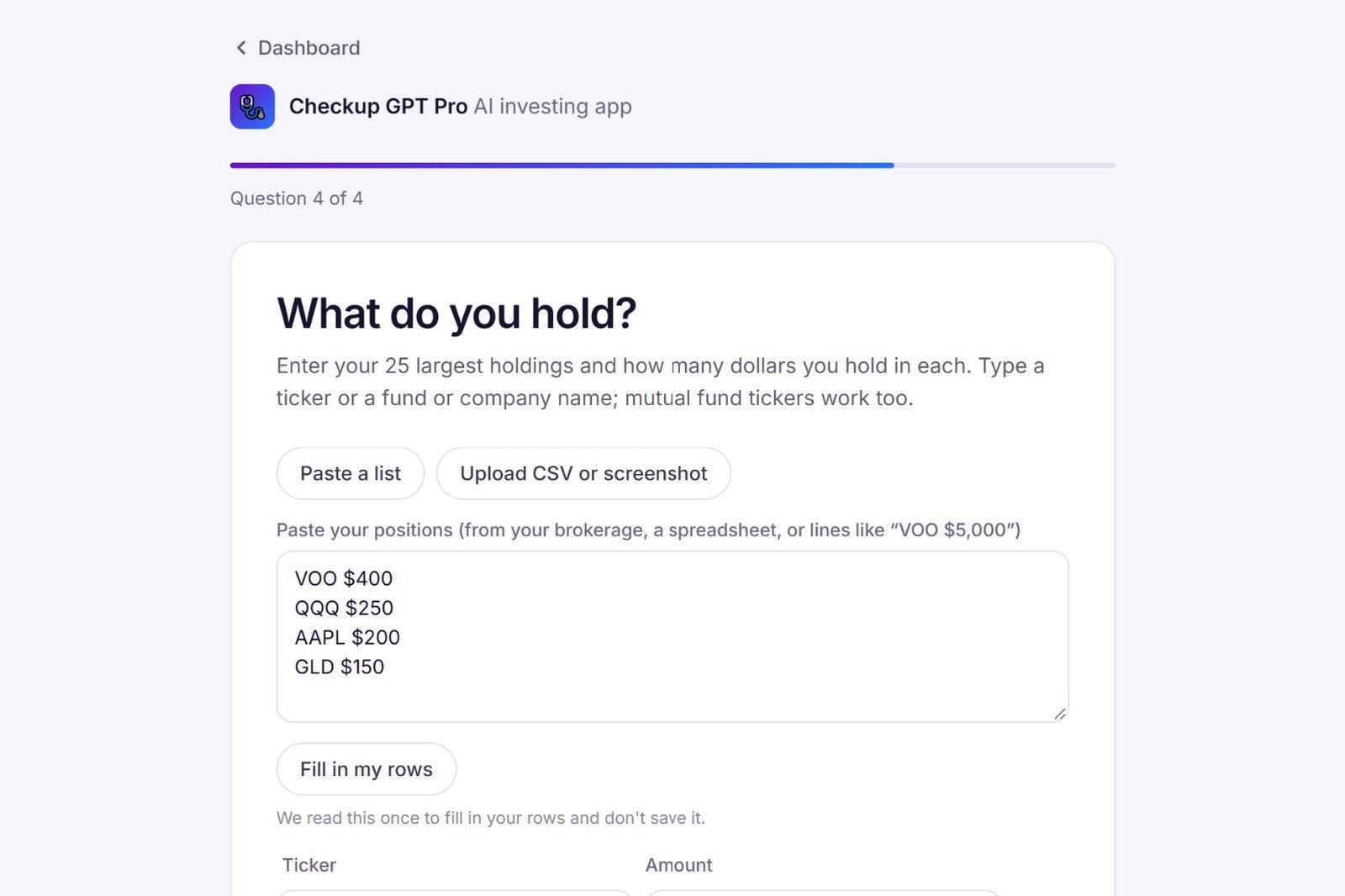
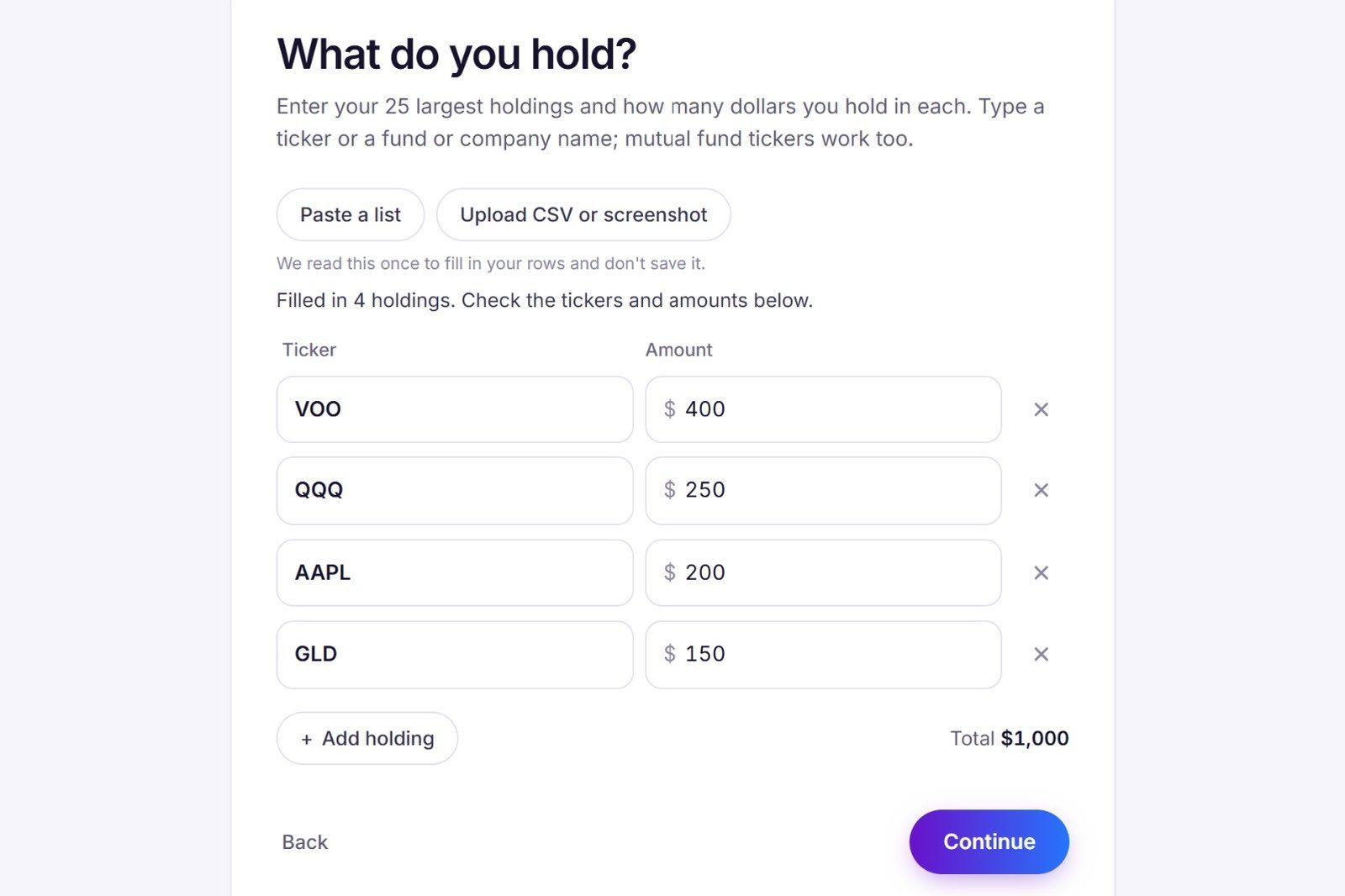
For each holding, type a ticker or a fund or company name (suggestions appear as you type, and mutual fund tickers work too), then the dollar amount you hold. Add rows with "Add holding": up to 8 on the Free plan, or up to 25 on Pro. If you hold more, enter your largest ones. The total needs to be at least $100.
On Pro, you can skip the typing: choose "Paste a list" and paste your positions from your brokerage or a spreadsheet (lines like "VOO $5,000" work), or "Upload CSV or screenshot". Click "Fill in my rows" and check the tickers and amounts it filled in. PortfolioGPT reads what you paste or upload once and doesn't save it.
Step 5: ✨ Select "Run my checkup"
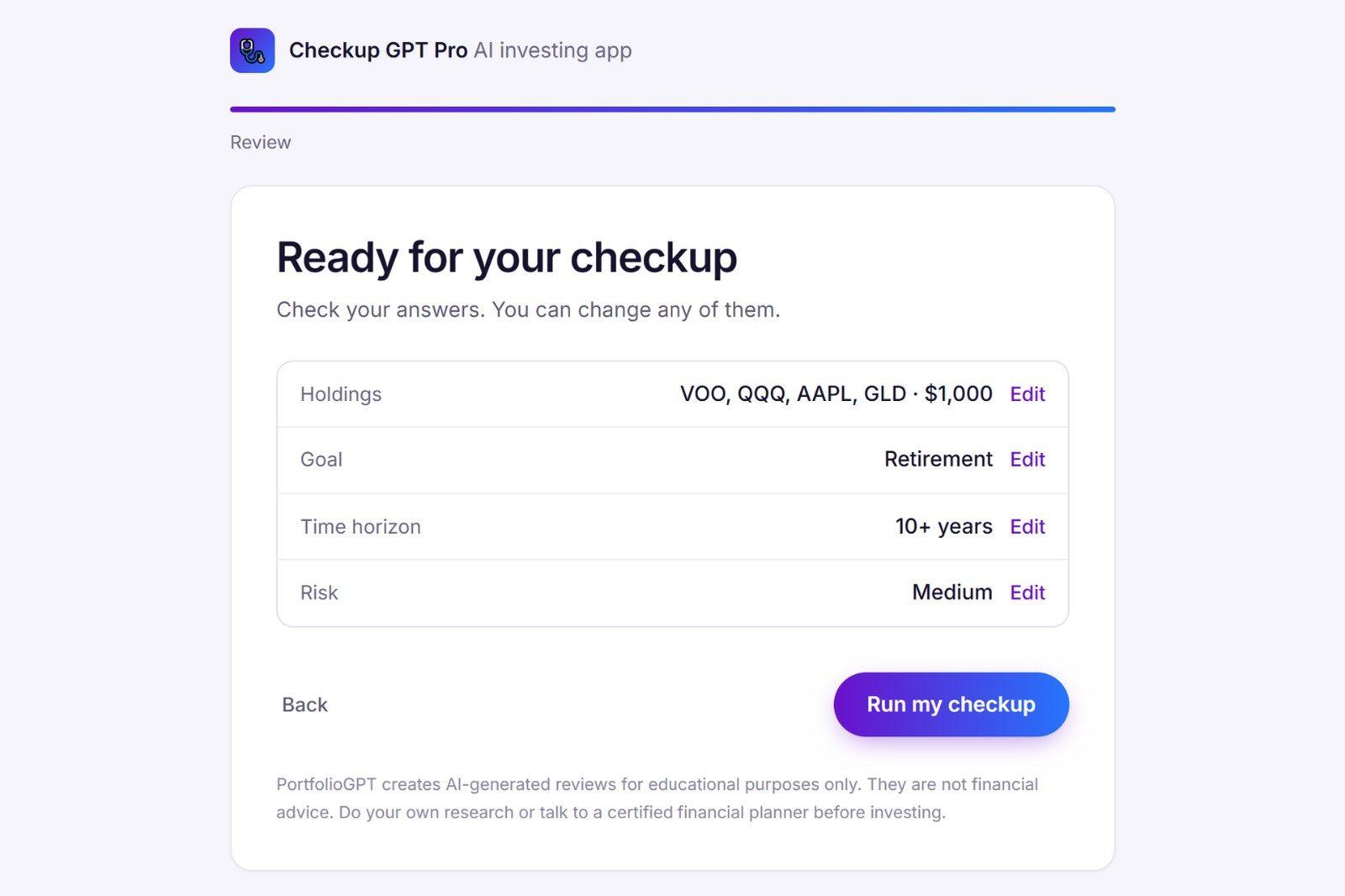
Check your holdings, goal, time horizon and risk on the review screen, and edit any of them. Then click "Run my checkup".
Our Methodology: 📚 PortfolioGPT
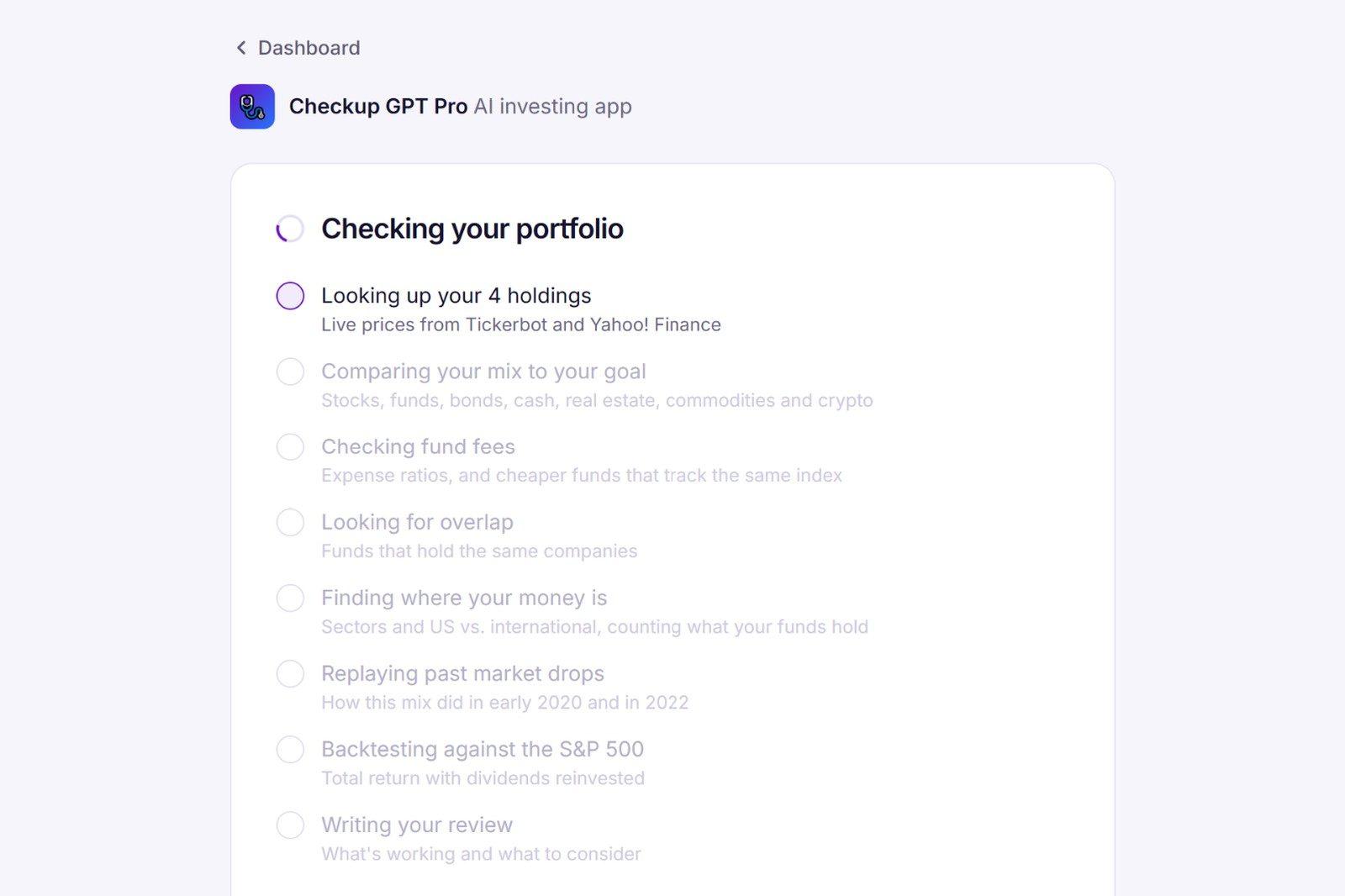
Every checkup runs these steps, in order:
- Looks up your holdings with live prices from Tickerbot and Yahoo! Finance.
- Compares your mix to your goal: stocks, funds, bonds, cash, real estate, commodities and crypto.
- Checks fund fees: expense ratios, and cheaper funds that track the same index.
- Looks for overlap: funds that hold the same companies.
- Finds where your money is: sectors and US vs. international, counting what your funds hold.
- Replays past market drops: how this mix did in early 2020 and in 2022.
- Backtests against the S&P 500, with dividends reinvested.
- Writes your review: what's working and what to consider.
What your portfolio checkup includes
Your checkup opens with a score out of 100, in four parts of 25 points: goal fit, risk and concentration, fees, and diversification. The score is worked out by code from the checks, so the same portfolio always gets the same score, and it isn't a prediction of returns. Below it, you see each holding's share of the portfolio, then your review.
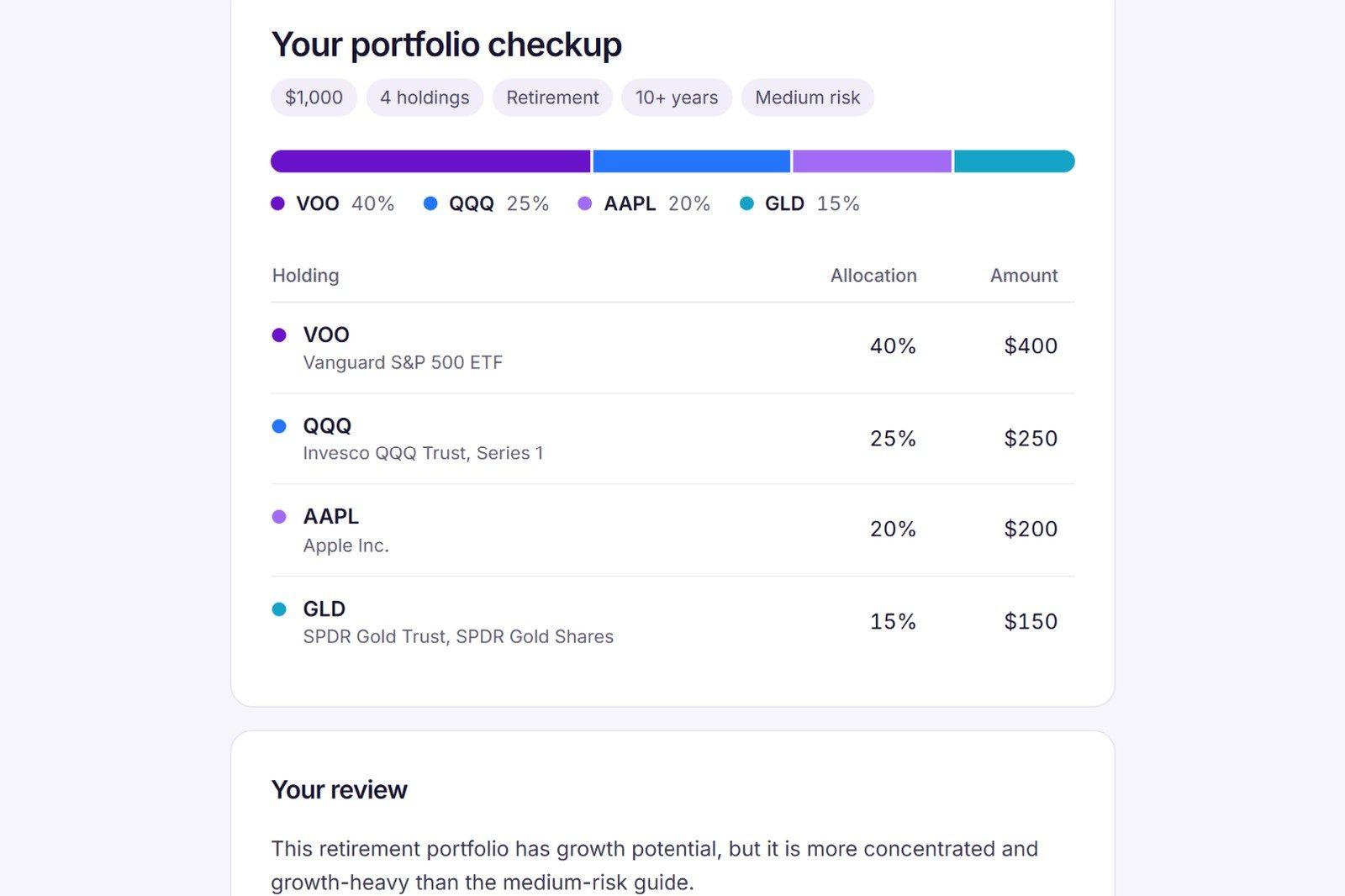
- Your review: how well the portfolio fits your goal, time horizon and risk, what's working and what to consider.
- Your mix vs. your goal: your asset classes, growth vs. steady assets, and the asset classes suggested for your goal that you don't hold yet.
- Where your money is: your stocks by sector next to the US market, and US vs. international.
- Fund fees: each fund's yearly cost in dollars, with a cheaper fund that tracks the same index where one exists.
- Fund overlap: how much your funds share, and your largest single-company exposures counting what your funds hold.
- Where new money could go: ideas for money you add. The checkup never tells you to sell, because selling can mean taxes.
- Crash test and performance: how the mix did in early 2020 and 2022, and each holding's 5- and 10-year returns and maximum drawdown next to the S&P 500.
You can email the checkup to yourself, edit your answers or start over. Pro saves every checkup to your account; on the Free plan, your 5 most recent stay on your device.
Want a new portfolio instead of a review? Start with Getting Started with Portfolio GPT, or see what Checkup GPT can do. Prefer low-cost index funds? Try Index GPT. For everything it checks in one place, see the AI portfolio analyzer page. Ready to check yours? Open Checkup GPT.
FAQ
How do I analyze my portfolio with AI?
Open Checkup GPT, pick your goal, time horizon and risk level, then enter each holding's ticker and the dollar amount you hold. Click "Run my checkup" and in about 20 seconds you get a score out of 100 and a review of your mix, fees, fund overlap, sectors, past market drops and a backtest against the S&P 500.
How many holdings can I check?
Up to 8 on the Free plan and up to 25 on Pro. If you hold more, enter your largest ones. Fully empty rows are ignored, and the holdings need to add up to at least $100.
Does Checkup GPT save what I paste or upload?
No. When a Pro member pastes a positions list or uploads a CSV or a screenshot, PortfolioGPT reads it once to fill in the rows and doesn't save it. You check the tickers and amounts before running the checkup. The checkup itself is saved like any portfolio: on Pro to your account, on Free on your device.
Can I import my holdings on the Free plan?
No. On the Free plan you type each ticker and amount, with name suggestions as you type. Pasting a list or uploading a CSV or screenshot is part of Pro, which costs $3 a month or $27 a year and also raises the limit to 25 holdings.